How to Create a Content Calendar That Works


So, you're ready to build a content calendar. The whole process really boils down to four key parts: nailing down your strategy, picking the right tool, filling it with great ideas, and setting up a solid workflow. Getting this right is what turns random acts of content into a well-oiled machine that actually hits your marketing goals.
Why Your Content Strategy Needs a Calendar

Let's get one thing straight—a content calendar is so much more than a glorified to-do list. I like to think of it as the central blueprint for your entire marketing operation. It’s what separates consistent, goal-driven content from the kind of reactive, chaotic scramble that never seems to deliver real results.
Without a plan, what happens? Teams end up in a constant state of "what are we posting today?" This leads to rushed work, content that feels disconnected from your core business objectives, and a brand message that’s all over the place.
From Administrative Chore to Strategic Powerhouse
A thoughtfully built content calendar turns your strategy from a dusty document into a living, breathing action plan. It gives you a bird's-eye view of everything you're putting out there, making sure every blog post, social media update, and email newsletter is pulling in the same direction.
This is the secret sauce of high-performing marketing teams. They use their calendars to:
- Keep the Brand Consistent: A unified voice and message across every channel is non-negotiable for building a strong brand.
- Align the Whole Team: When writers, designers, and social media managers share a single source of truth, confusion disappears.
- Jump on Timely Opportunities: You can plan content around holidays, industry events, or product launches months in advance, instead of scrambling at the last minute.
And the planning really does pay off. The content marketing market is on track to hit an incredible USD 1.95 trillion by 2032. Plus, research consistently shows that marketers with a documented strategy are far more successful—in fact, 47% of B2B marketers point to it as a key to their success. A calendar is the most practical way to bring that strategy to life.
A content calendar isn't about boxing in creativity. It’s about building a reliable framework for creativity. It handles the "what's next?" so your team can focus their energy on creating amazing content, not worrying about the schedule.
The Real-World Impact of Planning
Let's paint a picture. Imagine you're launching a new service. A team without a calendar might publish one blog post and a few random social media updates. It's better than nothing, but it's not a campaign.
Now, picture a team with a solid content calendar. They'd orchestrate a full multi-channel blitz. You’d see teaser posts, a big launch-day announcement, follow-up case studies, and customer testimonial videos—all meticulously plotted out weeks in advance to create a wave of momentum.
That kind of coordination is flat-out impossible without a central planning hub. If you're looking for specifics on the social media side of things, this guide on how to build a social media content calendar is a great resource and its principles apply broadly. Ultimately, a content calendar isn't just an organizational tool; it's a strategic foundation that brings clarity, sparks collaboration, and drives real, measurable growth.
Laying the Groundwork: Your Content Strategy and Goals
Before you even think about plugging a single topic into a spreadsheet, you need a plan. A great content calendar is so much more than a schedule—it’s the operational arm of your entire business strategy. Jumping straight into brainstorming without this foundation is a classic mistake. It's like trying to build a house without blueprints; you might get some walls up, but it's not going to be stable or serve its purpose.
This strategic prep work is what gives every article, video, and social post a clear "why." What are you actually trying to achieve? Are you aiming to pull in more organic search traffic? Generate solid leads for the sales team? Or maybe you're trying to carve out a name for yourself as an authority in a crowded space. Without a clear destination, you're just making noise.
Start with Sharp, Clear Marketing Objectives
Goals like "get more engagement" are way too fuzzy. They're nearly impossible to measure and even harder to plan content around. Instead, you need to get specific and set objectives you can actually track. This is what turns your content from a fun creative exercise into a measurable part of the business.
Here are a few examples of what strong, actionable goals look like:
- Boost Organic Traffic: Aim to increase website visitors from search engines by 20% over the next quarter.
- Generate Qualified Leads: Set a target to capture 50 new marketing qualified leads (MQLs) each month through your blog and downloadable guides.
- Build Brand Authority: Secure 5 high-quality backlinks from industry publications by creating original research reports.
Setting these kinds of benchmarks gives your team a North Star. It helps everyone on the same page about what success looks like and lets you tie every single content idea back to a real business outcome. If you need a hand structuring this, our guide on building a content marketing strategy template is a great place to start.
Run a Quick Content Audit
You don't need to block out a whole week for a deep-dive analysis. A quick, simple audit of your existing content can tell you so much about what your audience actually wants. Just look back at your top-performing blog posts, social media updates, and emails from the past 6 to 12 months.
Ask yourself a few simple questions:
- Which topics consistently get the most views, shares, and comments?
- What formats seem to connect best? Are people loving your listicles, in-depth guides, case studies, or videos?
- Where are your best leads coming from?
This isn't about picking apart past work. It's about spotting patterns. If you realize your three "how-to" articles on local SEO drove a ton of high-quality traffic, that's a massive clue. It tells you exactly where to double down, taking all the guesswork out of your planning.
Establish Your Core Content Pillars
With your goals and audit findings in hand, it's time to define your content pillars. Think of these as the 3-5 big-picture topics your brand will own. These are the main subjects you want to be known for, and they should directly address your audience's biggest challenges while showcasing your expertise.
For a web design agency like us, the pillars might look something like this:
- Local SEO Strategies: Everything a New York business needs to rank higher in local search.
- Lead Generation Websites: All about conversion rate optimization, user experience, and turning visitors into customers.
- Small Business Branding: Practical guides on logos, messaging, and building a memorable online identity.
These pillars act as guardrails for your brainstorming. When a new idea pops up, you can quickly check: "Does this fit under one of our core pillars?" If the answer is no, it’s probably off-strategy and won't help you reach your goals.
Getting this structure right is more important than ever. The global market for marketing calendar software was valued at USD 12.5 billion in 2025 and is expected to rocket to USD 32.4 billion by 2035. That explosion shows a major shift from simple schedulers to all-in-one platforms that connect strategy, creation, and performance. You can read more about the future of marketing calendar software on Research Nester. With a solid strategy in place, you’ll be perfectly positioned to take full advantage of these powerful tools.
Choosing the Right Tools for Your Team
Picking the right tool for your content calendar can feel like a huge decision, but it really doesn't have to be. The best platform isn't the one with a million features; it's the one that actually fits how your team works. A clunky, over-engineered tool just adds friction, while the right one feels like a secret weapon that clears the path for everyone to do their best work.
Think about it this way: a solo blogger has completely different needs than a 20-person marketing department. The whole game is matching the tool to your reality—your team size, your budget, and how you actually get things done.
Start with Simple Spreadsheets
For a lot of folks just getting their sea legs—freelancers, small teams, or startups—a simple spreadsheet is the perfect place to start. Tools like Google Sheets or Airtable are free, incredibly flexible, and you can build a totally custom calendar in less than an hour.
The real beauty of a spreadsheet is its simplicity. You just need a few columns to get going:
- Publish Date: When is it going live?
- Topic/Title: What are we calling this thing?
- Content Owner: Who’s on the hook for it?
- Status: Is it an idea, being written, in review, or published?
- Target Keywords: What are we trying to rank for?
- Distribution Channels: Where will we share it? (Blog, social, email, etc.)
This no-frills method is fantastic for building a solid planning habit. But, as your team and content ambitions grow, you’ll start to feel the limitations. Spreadsheets don't send you reminders, they aren't great for real-time collaboration, and they definitely don't talk to your publishing platforms.
The infographic below offers a great way to think about how your goals should dictate your tool choice.
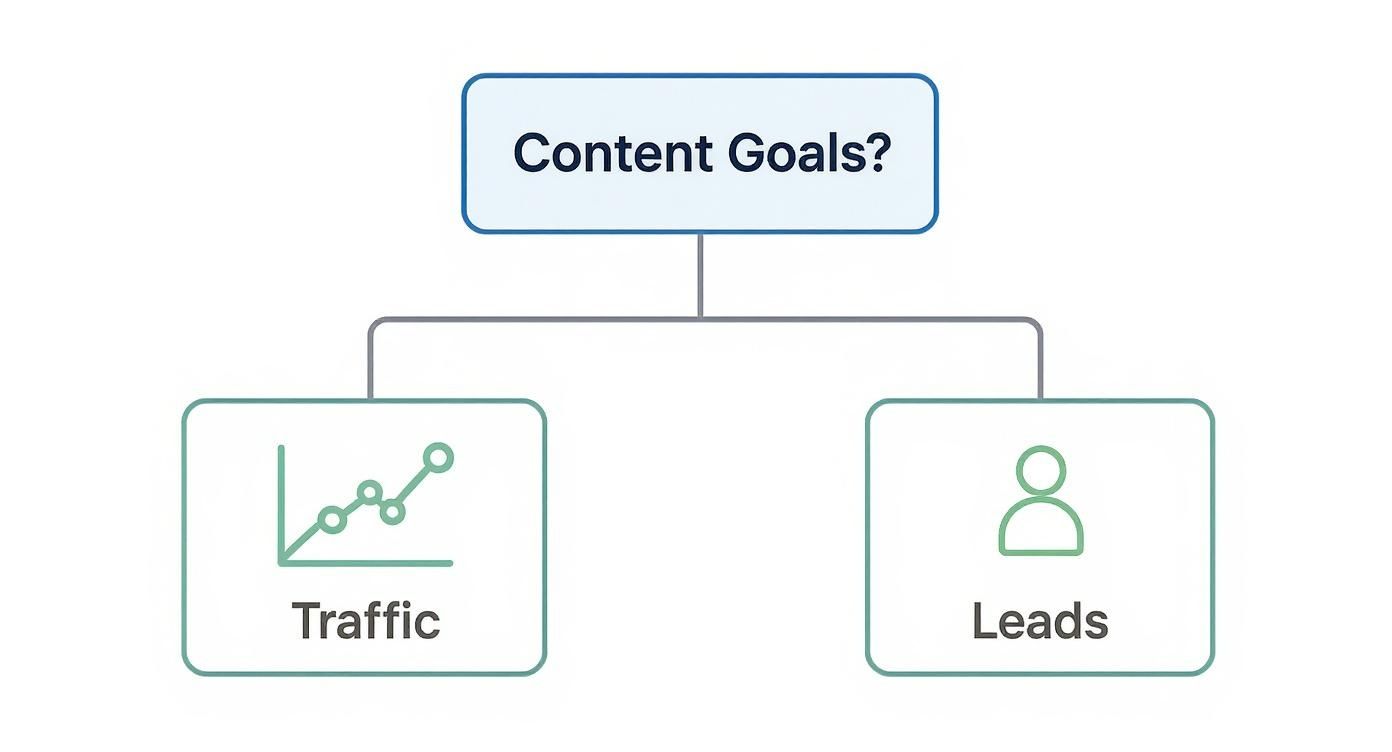
It’s a simple but powerful reminder: let your core objectives shape your workflow, and then find a tool that supports that workflow.
Level Up with Project Management Tools
Once your content production involves multiple people and clear stages—like writing, design, review, and promotion—it's time to graduate from the spreadsheet. This is where project management tools like Trello, Asana, or ClickUp come in.
These platforms are designed to bring your workflow to life. You can build Kanban boards where each blog post or video is a "card" that moves from one column to the next, from "To-Do" to "Done." That visual clarity is a game-changer; anyone can see exactly where every project stands in an instant.
Imagine a content manager seeing at a glance that a blog post is stuck with the design team or waiting on final approval from legal. Team members can be tagged, deadlines can be set, and all the files and feedback can live in one place. No more hunting through email chains. As you explore these tools, it's helpful to understand different production schedule types, like Gantt charts or Kanban boards, which these platforms handle beautifully.
Key Takeaway: Project management tools are the logical next step for growing teams. They solve the collaboration and visibility problems that spreadsheets simply weren't built to handle.
The growth in this space speaks volumes. The global calendar app market was valued at USD 5.71 billion in 2023 and is projected to skyrocket to USD 16.37 billion by 2030. It's clear that everyone is looking for better ways to stay organized.
Choosing the Best Tool For Your Team
To help you decide, here’s a quick breakdown of how some popular tools stack up against different team needs. This table compares them across key features to help you find the best fit for your team's size, budget, and workflow.
| Tool | Best For | Key Strengths | Potential Drawbacks | Price Point |
|---|---|---|---|---|
| Google Sheets | Solo creators & very small teams | Completely free and fully customizable. No learning curve. | Lacks automation, notifications, and robust collaboration features. | Free |
| Trello | Small to mid-sized teams with a visual workflow | Intuitive Kanban boards make it easy to track progress. Great for managing multi-step processes. | Can become cluttered with complex projects. Fewer reporting features. | Free tier, with paid plans starting around $5/user/month. |
| Asana | Growing teams & agencies needing structure | Powerful task management, multiple views (list, board, timeline), and solid integrations. | Can have a steeper learning curve. The free version is quite limited. | Basic free plan, with paid plans starting around $10.99/user/month. |
| CoSchedule | Marketing teams focused on high-volume publishing | All-in-one content and social media scheduling. Great for seeing your entire marketing plan in one place. | Can be expensive for smaller teams. Might be overkill if you don't need social integration. | Starts around $29/user/month. |
| ClickUp | Teams wanting an all-in-one productivity hub | Extremely customizable with docs, goals, and various project views. Replaces multiple tools. | Can feel overwhelming due to the sheer number of features. | "Free Forever" plan, with paid plans starting around $7/user/month. |
Ultimately, the best choice comes down to what you actually need. Don't pay for a bazooka if a slingshot will do the job. Start with the simplest tool that solves your immediate problems and don't be afraid to upgrade as your team's needs evolve.
Invest in Specialized Content Calendar Software
For marketing teams running a serious content engine—publishing high volumes of content across many channels—it's worth looking at specialized software. Platforms like CoSchedule or Welcome (which used to be NewsCred) are purpose-built for the unique challenges of content operations.
These tools are much more than just schedulers; they’re true command centers. They often pack in features like:
- Integrated Social Scheduling: Plan, write, and publish to all your social accounts from one calendar.
- Content Ideation Hubs: A central spot to dump, develop, and approve new content ideas.
- Performance Analytics: See how your content is performing without ever leaving the platform.
- Workflow Automation: Create approval chains and automated notifications to keep projects moving.
Yes, these platforms come with a higher price tag. But for the right team, the investment pays for itself in efficiency gains and time saved. They bring an end to juggling five different disconnected tools, giving you a single source of truth for your entire content strategy. The key is to be honest about your team's current headaches and where you plan to be in a year or two.
Filling Your Calendar With Winning Ideas

Alright, you’ve got your strategy mapped out and your tools are ready to go. Now for the fun part: turning those big-picture goals into a tangible schedule of killer content. Let's be honest, a content calendar is only as good as the ideas you feed it. This is where we move from planning to doing.
The trick is to build up a healthy backlog of ideas so you're never scrambling at the last minute. Think of it as your best defense against inconsistent posting and the dreaded "What do we post today?" panic.
Brainstorm With a Purpose
Great brainstorming sessions don't just happen by magic. They need a little structure, and your content pillars are the perfect framework. Instead of asking a vague question like, "What should we write about?", you can zero in on what really matters.
Let’s say one of your pillars is "Local SEO Strategies." Your brainstorming prompts suddenly become much more focused:
- What are the top 3 questions our NYC clients always ask about their Google Business Profile?
- Could we build a simple checklist for a local shop to optimize its website?
- What are some of the biggest mistakes we see small businesses make with their online listings?
See the difference? This approach keeps every idea tied directly to your strategy, ensuring that every piece of content you create is actually moving the needle on your business goals. It’s about channeling creativity where it counts.
Don't forget to mine your own internal data, either. Your sales and customer service teams are on the front lines every day, hearing your audience's questions, frustrations, and needs. Set up a simple way for them to share these nuggets of gold—it's one of the best sources for content that genuinely solves problems.
Pro Tip: I highly recommend keeping a shared "idea repository" in a tool like Google Sheets or Trello. This lets anyone on the team drop in an idea the moment inspiration strikes, creating a constantly refreshing well of topics for your calendar.
Find Out What Your Audience is Actually Searching For
Brainstorming is fantastic for tapping into your own expertise, but you also have to meet your audience where they are—and that's usually Google. Using SEO tools takes the guesswork out of content planning by showing you what people are actively looking for.
Tools like Ahrefs or Semrush can uncover the exact phrases and questions your ideal customers are typing into the search bar. Pay close attention to long-tail keywords. These longer, more specific queries often signal that a searcher is ready to buy and faces less competition.
For example, instead of a broad topic like "web design," you might discover people are searching for "affordable web design for Queens bakeries." Creating a blog post that speaks directly to that need is infinitely more powerful than a generic article. This data-driven method ensures your calendar is packed with topics that already have a built-in audience waiting for them.
Turn Vague Ideas into Actionable Tasks
An idea is just the beginning. To make your calendar a real workhorse, each entry needs the key details that guide a piece of content from a simple concept to a published asset. This brings clarity and accountability to the whole team.
A solid calendar entry should always include:
- Working Title: A clear, descriptive headline.
- Content Format: Is this a blog post, a video, an infographic, or a social media carousel?
- Target Keyword: The main SEO keyword you're aiming for.
- Content Owner: Who is responsible for getting this done?
- Status: Where is it in the workflow? (e.g., Idea, Writing, In Review, Scheduled).
- Publish Date: The day it goes live.
- Distribution Channels: Where will you promote it? (e.g., newsletter, LinkedIn, Instagram).
Logging these details for every single item transforms your calendar from a simple schedule into a command center for your content operations. No more guessing games.
Set a Publishing Cadence You Can Actually Stick To
Finally, you have to be brutally honest about how much content your team can create without burning out. A calendar that’s too ambitious is a recipe for missed deadlines and frustration. Trust me, a smart blog and social media marketing plan values consistency way more than volume.
Take a look at your resources. How many writers and designers do you have? How much time can they realistically commit each week? It is far better to publish one amazing, in-depth article every week and hit that deadline without fail than to aim for three and constantly be behind.
Once you establish a rhythm, you can always scale up. Your content calendar should be a tool that supports sustainable growth, not a source of stress. The goal here is to build a reliable content engine that works for you in the long run.
Making Your Content Calendar a Team Habit

You can build the world's most beautiful and strategic content calendar, but it’s completely useless if it just sits there collecting digital dust. The real challenge—and where the magic truly happens—is embedding it into your team's daily rhythm. It needs to become the central nervous system for your entire content operation, not just another bookmark everyone forgets.
A calendar that isn’t used is a sign of a deeper problem. It often means the process feels more like a burden than a benefit. The key is to make interacting with the calendar an indispensable part of getting work done, transforming it from a static document into a dynamic, collaborative workspace.
Define and Visualize Your Content Workflow
Before your team can really adopt the calendar, they need to see exactly how a piece of content moves from a raw idea to a published asset. Laying out a clear, step-by-step workflow is the first move. This simple act eliminates so much confusion and sets clear expectations for everyone involved.
Your workflow stages might look something like this:
- Idea: The initial concept is logged in the calendar's backlog.
- Briefing: The content owner adds key details—target keyword, audience, and core message.
- Writing: The first draft is officially in progress.
- Design: Visuals are being created by the design team.
- Review: The draft is awaiting feedback and approval.
- Scheduled: The final piece is approved and loaded into your publishing tool.
- Published: The content is live, and promotion can begin.
The real power comes when you visualize these stages directly within your calendar. Most modern project management tools let you use tags, labels, or columns to represent each status. This gives anyone on the team an instant, at-a-glance understanding of the entire content pipeline, making it incredibly easy to spot bottlenecks before they turn into major problems.
Make the Calendar the Star of Your Meetings
Let's be honest, editorial meetings can easily devolve into unstructured brainstorming sessions that go nowhere. To make them truly effective, the content calendar needs to be the central agenda item. Pull it up on a shared screen and use it to guide the entire conversation.
A calendar-centric meeting keeps everyone focused on what actually matters: progress, priorities, and problems.
Here’s a simple structure for your weekly editorial meeting:
- Review Published Content: Briefly discuss the performance of content that went live last week. What worked? What didn’t? Any lessons we can apply?
- Check Current Progress: Go through the calendar, column by column. Is anything stuck in the "Writing" or "Review" stage? Who needs help to get unstuck?
- Confirm the Upcoming Week: Look at everything scheduled for the next 7-10 days. Does everyone have what they need to hit their deadlines? Are there any potential conflicts?
- Plan Future Content: Spend the last portion of the meeting pulling from your idea backlog to fill empty slots in the coming weeks.
This structured approach turns your meeting into a productive checkpoint, not just another talkfest. It reinforces the calendar as the single source of truth for the entire team.
Your content calendar should be a living document, not a rigid plan set in stone. It needs to be flexible enough to accommodate sudden shifts in priorities or jump on timely trends without derailing your entire strategy.
Foster a Culture of Clear Collaboration
Ultimately, making the calendar a habit is all about people. The tool itself is secondary to how your team uses it to work together. Without clear roles and communication guidelines, even the best platform will fail.
Start by establishing some simple ground rules for collaboration:
- Assign Clear Owners: Every single item on the calendar must have one designated owner. This person is responsible for shepherding that piece of content through the workflow, even if they aren't doing all the work themselves.
- Use Comments for Feedback: Keep all discussions about a specific piece of content attached to that item in the calendar. This ends the nightmare of hunting for crucial feedback in scattered emails and Slack messages.
- Maintain a Single Source of Truth: Make a pact as a team that if it isn't in the calendar, it doesn't exist. This non-negotiable rule forces everyone to rely on the shared tool, solidifying its place at the heart of your operations.
By building clear processes and communication norms around your calendar, you create a system that runs on its own momentum. It becomes less about enforcement and more about a shared, efficient way of working that everyone actually values.
Answering Your Content Calendar Questions
Even with the perfect strategy on paper, questions always bubble up when you're in the trenches managing a content calendar. It's a living document, and learning how to keep it effective without becoming rigid is all part of the game. Let's dig into some of the most common questions I hear from teams.
Getting these details right is what turns a simple schedule into a powerful planning machine. The real aim is to build a system that gives you structure but doesn't kill your ability to jump on new opportunities.
How Far in Advance Should I Plan Content?
This is the classic question, and the answer really comes down to balancing long-term vision with short-term agility. I've always found it best to plan in layers.
Think about your big-picture themes and major campaigns on a quarterly basis. This gives you a solid strategic roadmap for the next three months, so you always know what direction you're heading.
But for the day-to-day stuff—like specific blog posts, social media updates, and newsletters—planning four to six weeks in advance is the sweet spot. It gives your team enough breathing room to research, write, and design quality content without being so locked in that you can't react to a trending topic.
What Is the Most Important Field in a Content Calendar?
Every field has its purpose, but if I had to pick just one, it's the Status field. Hands down. A simple dropdown with options like "Idea," "In Progress," "In Review," and "Published" offers an immediate, at-a-glance snapshot of your entire content pipeline.
This is your bottleneck detector. If you see five articles stuck in the "In Review" stage for a week, you know exactly where the logjam is. It’s the one piece of data that elevates your calendar from a simple schedule to a genuine workflow management tool.
Should I Keep Social Media and Blog Posts Separate?
For most small to mid-sized teams, my advice is to use an integrated calendar. Seeing your blog posts, videos, and social updates all in one place gives you the full story of your marketing efforts. It makes it easy to see how one blog post is being amplified across different channels, ensuring your campaigns feel cohesive.
Things can change with larger organizations, though. They often benefit from a master calendar for their big content pillars (like blogs and videos) and a separate, more detailed calendar just for the social media team. This lets the social team manage a high volume of daily posts without cluttering up the main strategic view for everyone else.
How Do I Keep the Calendar from Being Too Rigid?
A content calendar should be a guide, not a straitjacket. The best way to build in flexibility is to plan for it from the start.
I always recommend leaving one or two slots open each month specifically for "reactive" or "topical" content. This gives you the freedom to write about a sudden industry development or join a relevant online conversation without throwing your whole schedule into chaos.
Remember, the purpose of a calendar is to eliminate the daily chaos of "what should we post?" so you have the mental space to be strategic. It's about providing structure, not preventing spontaneity.
Treat your calendar as a living document. Review and adjust it weekly. This constant fine-tuning is also critical for understanding what content is actually driving results. Tracking performance lets you refine your strategy over time, and a huge part of that is knowing how to measure SEO ROI to make sure your efforts are truly paying off.
Ready to turn your content strategy into a lead-generating machine with a professional website? The team at Web Design at NY specializes in creating responsive, SEO-friendly websites that help NYC businesses grow. Get your free quote today!