Using a Website Design Cost Calculator to Budget Your Project


Ever wonder how much a new website really costs? A website design cost calculator is a simple online tool that cuts through the guesswork. You plug in a few details about what you need—like an e-commerce store or a simple portfolio—and it gives you a ballpark estimate on the spot. It's the perfect first step before you start talking to web design agencies.
What Exactly Is a Website Design Cost Calculator?
Think of it like an instant price checker for a custom-built project. You wouldn't buy a car without knowing the base price and the cost of add-ons, right? A website cost calculator does the same thing for your digital presence, giving you a realistic starting point for your budget.
These tools are designed to bring some much-needed transparency to the web design process. Instead of shooting in the dark, you get a data-backed estimate that helps you plan your investment. It turns the big, scary question of "how much?" into a concrete number you can actually work with.
A calculator won't give you a final, locked-in quote. What it will do is align your expectations with what the market typically charges, giving you a solid foundation for conversations with potential developers.
Your Guide to Understanding Website Costs
This guide is here to pull back the curtain on website pricing. We'll break down all the moving parts that influence the final number and show you how these calculators figure it all out. Most importantly, we'll tell you what to do with that estimate once you have it.
Here’s what we’ll get into:
- Key Cost Components: We’ll look at everything that adds to the price tag, from the initial design and coding to long-term needs like SEO and maintenance.
- How the Calculators Work: A peek under the hood at the inputs and logic that create your personalized estimate.
- Making Sense of Your Estimate: Practical advice on how to use your number to plan your next moves and find the right design partner.
By the time you're done reading, you won't just know what a website costs—you'll understand why. If you want to brush up on the basics first, check out our guide on the meaning of web design and see how it all fits together.
What Really Goes Into Your Website’s Price Tag?
Trying to understand a website quote can feel like looking at a car's sticker price—you see the final number, but what makes up that cost? A website design cost calculator breaks it down, piece by piece, just like a detailed invoice for a new car shows you the cost of the engine, the trim package, and the sound system.
When you see the costs itemized, it's easier to understand where your money is going and why. Each component has a job to do, and they all work together to create a website that actually helps your business grow. Let's pull back the curtain on these essential building blocks.
The diagram below gives you a bird's-eye view of how a calculator typically approaches this, connecting your goals and features to the final price.
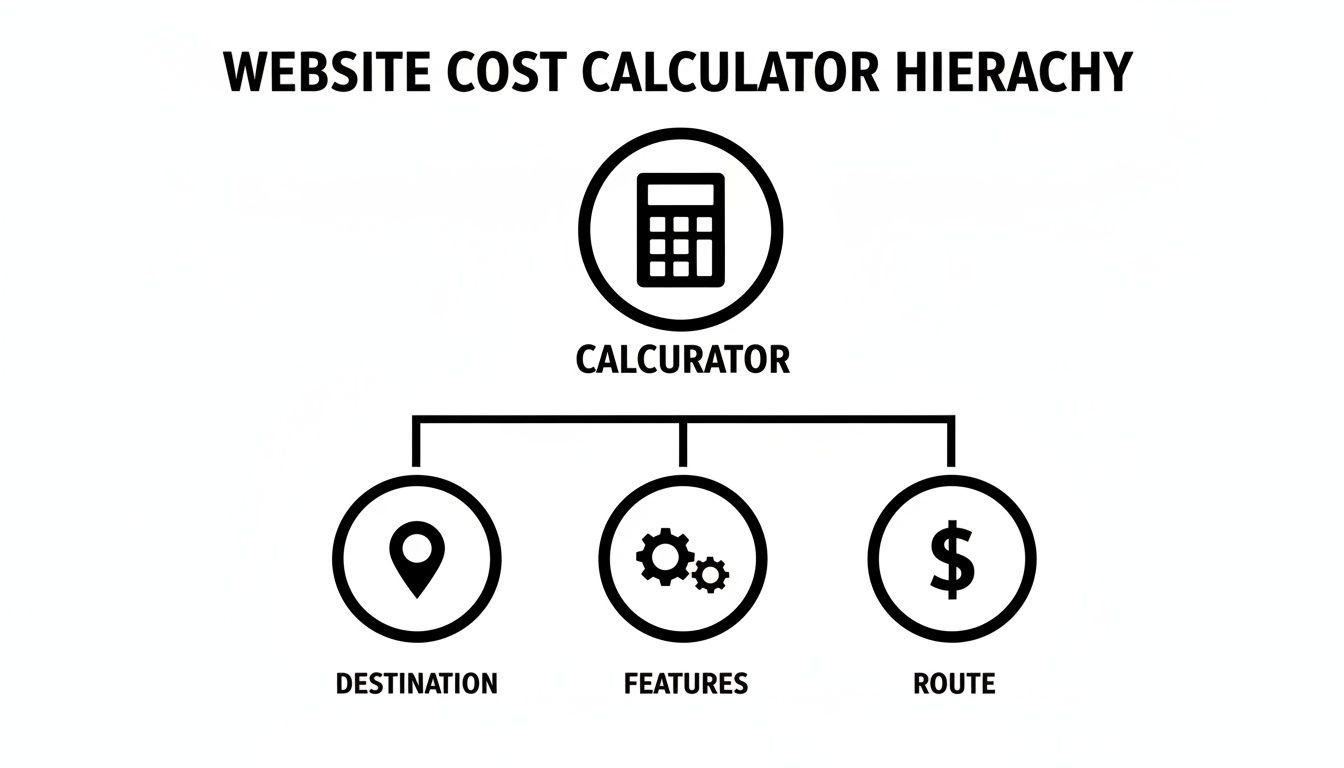
As you can see, what you want to achieve (your destination) and the tools you need to get there (the features) directly determine the cost of the journey (the route).
Design and User Experience (UX)
First impressions count, especially online. Your website's design is your digital storefront. It’s the first thing a potential customer sees, and it instantly shapes their opinion of your brand. A clean, professional design signals credibility and builds trust from the get-go.
But great design is more than just looking pretty. A huge part of the cost comes from achieving superior website interface design and UX. This is all about making the site intuitive and easy to use on any device, whether it’s a laptop, tablet, or smartphone.
A great user experience isn't just a bonus feature. It’s a make-or-break investment in your conversion rates. If people can't easily find what they need, they won't stick around.
Development and Functionality
If design is the look and feel, development is the engine that makes everything run. This is all the behind-the-scenes coding that powers your website's features. It's what makes your contact form send an email, your e-commerce cart process a payment, and your booking calendar actually schedule an appointment.
The complexity of these features is a major driver of cost. A simple 5-page brochure website is far less work to build than a sprawling e-commerce store with thousands of products. Key factors that influence development costs include:
- Content Management System (CMS): Building the site on a flexible platform like WordPress.
- E-commerce Needs: Setting up secure payment gateways, shopping carts, and inventory systems.
- Custom Features: Creating unique tools like interactive maps, member portals, or custom calculators.
Content Creation
Content is what fills your website. It’s the words, the photos, the videos, and the blog posts that tell your story, explain your services, and convince visitors to become customers. Without strong content, even the best-designed website is just an empty shell.
You’ve got a few choices here, each with a different price tag. You can write the text yourself, hire a freelance copywriter, or have your agency manage it all. While professional copywriting and photography add to the initial investment, they almost always pay for themselves through better customer engagement and search rankings. Our guide on how much website design costs dives deeper into how content choices affect your budget.
Search Engine Optimization (SEO)
You can have the most beautiful website in the world, but it won't do you any good if no one can find it. SEO is the art and science of getting your site to show up on Google when people search for what you offer. Think of it as putting up signs on the digital highway to direct traffic to your business.
A foundational SEO setup is usually part of a professional web design package. This typically includes:
- Keyword Research: Finding the exact phrases your ideal customers are typing into Google.
- Meta Tags: Writing the page titles and descriptions that show up in search results.
- Content Optimization: Weaving those keywords naturally into your website's text.
While this initial setup is key, ongoing SEO is a separate service that’s vital for staying competitive and growing your visibility over the long term.
A detailed cost breakdown can help you budget effectively. Here are some typical one-time costs for common website features, especially for businesses operating in a competitive environment like New York City.
Website Feature Cost Breakdown
| Feature/Service | Typical Cost Range (One-Time) | Why It Matters for NYC Businesses |
|---|---|---|
| Custom Web Design (10-15 Pages) | $8,000 – $20,000+ | A unique design helps you stand out from the thousands of competitors in the city. |
| E-commerce Functionality | $5,000 – $25,000+ | Essential for retailers and service businesses to capture sales directly from a massive local and tourist market. |
| Professional Copywriting | $150 – $500 per page | Clear, persuasive messaging is crucial to connect with a diverse and fast-moving audience. |
| Basic SEO Setup | $1,500 – $5,000 | Gets your business on the map, helping you appear in local "near me" searches, which are vital in NYC. |
| ADA Accessibility Audit & Fixes | $2,500 – $10,000+ | Protects against lawsuits and ensures your services are available to all New Yorkers. |
These figures show how quickly the costs can add up based on your specific needs, but they also highlight where the value lies for making an impact in a crowded marketplace.
The Costs People Forget
Beyond the big-ticket items, a few other costs always pop up. They're easy to overlook when you're focused on design and features, but they are absolutely essential for a healthy, functioning website.
Hosting and Maintenance
Hosting is like paying rent for your website's address on the internet. Maintenance covers the essential upkeep—like software updates, security scans, and backups—that keeps your site safe and running smoothly. These are usually billed as a recurring monthly or annual fee.
ADA and Accessibility Compliance
Making sure your website is usable for people with disabilities isn't just a nice thing to do—it's a legal necessity. Complying with the ADA (Americans with Disabilities Act) means designing your site to work with screen readers and other assistive technologies. It might add to the upfront cost, but it protects you from lawsuits and opens your doors to a wider audience.
Third-Party Integrations
Does your business run on other software, like a CRM, email marketing service, or accounting platform? Connecting those tools to your website requires extra development work, which adds to the project's complexity and final price tag.
Industry reports for 2025 show that website redesigns now fall between $3,000 and $75,000. For larger sites, the average is climbing to $36,000-$75,000. This reflects a major shift in priorities: with 87% of small businesses ditching templates for custom sites, the demand for speed, accessibility, and strong SEO has never been higher. For an NYC-based business, a starter redesign of 15+ pages can easily run from $15,000-$30,000 to include the must-have lead generation tools like contact forms and a blog.
How Website Design Cost Calculators Actually Work
Ever wondered what goes on behind the scenes of a website design cost calculator? It might seem like a black box, but the logic is actually pretty simple. Think of it like a recipe: you provide the ingredients (your project needs), the calculator follows a set of instructions, and out comes your estimated price—the finished dish.
These tools aren't just guessing. They're programmed with real-world data and pricing formulas based on thousands of actual projects. Each selection you make triggers a specific cost to be added to the total, giving you a clear, data-driven look at how different features impact the final number.
This process takes the mystery out of pricing, turning a vague idea into a tangible budget you can work with. It's the best first step to planning your website investment with your eyes wide open.
The Ingredients: What the Calculator Needs From You
First things first, the calculator needs to gather your project's "ingredients." It does this by asking a series of specific questions about what you want to build. While the questions vary from one calculator to the next, they almost always cover the same core ground.
You'll typically be asked about:
- Number of Pages: Are we talking about a simple 5-page "brochure" site, or do you need a much larger build with 20+ pages for all your services and a blog?
- Design Complexity: Is a clean, straightforward design based on a high-quality template good enough, or are you aiming for a completely custom, brand-defining experience with unique animations and layouts?
- Key Features: Does your site need to do something special? This is where costs can really shift. Things like e-commerce stores, appointment booking systems, member-only portals, or complex forms all require different amounts of development time.
- Content Creation: Are you planning to write all the text and supply the photos yourself? Or will you need the agency to provide professional copywriting and source high-quality images?
Being honest and detailed here is crucial. The more accurate your answers, the more reliable your estimate will be.
The Recipe: How the Calculator Puts It All Together
Once you’ve submitted your answers, the calculator's internal logic kicks in. This is the "recipe" part, where the tool assigns a dollar value—or an estimated number of work hours—to every single one of your choices. This logic is built on years of project data and standard industry rates.
For instance, checking the box for "E-commerce Functionality" might instantly add $5,000 – $15,000 to the total. Ticking "Blog Setup" could add another $1,500. At its core, the calculator is just running through a series of "if-then" commands.
If the user selects an e-commerce store, then add X to the total. If the user also needs a custom design, then add Y on top of that. The tool systematically stacks these values to build a complete cost picture.
This methodical approach ensures nothing gets missed, giving you a comprehensive view of the potential investment. It's a system built for transparency, not guesswork.
The Finished Dish: Understanding Your Estimated Cost Range
Finally, you get the "finished dish"—your estimated cost range. This figure is what a professional agency would likely charge for a project of your size and complexity. It’s critical to remember this is a starting point, not a locked-in quote.
The price for a website can be all over the map. In 2025, a project can go from $500-$10,000 for a very basic site to well over $150,000 for a massive corporate build. Adding features like user logins can add $5,000-$20,000, while integrating with other software via an API often adds another $3,000-$15,000.
For a small business in Queens, a full-service agency project that includes branding and marketing can easily range from $20,000 to over $100,000—an investment designed to deliver a real return. That's why a calculator is so helpful; it cuts through the noise and gives you a number relevant to you. To get a better feel for what’s included at different price points, you can look at common small business website design packages to see how features and costs line up.
Real-World Cost Examples for Local Businesses

Theory is one thing, but seeing how these costs play out for real businesses is what makes it all click. A website design cost calculator is a great starting point, but let's connect those numbers to a few scenarios you might recognize.
To bring this to life, we'll look at three common small business types in a competitive market like New York City. Each one has a different goal, which completely changes their website needs and, naturally, their budget.
Case Study 1: The Local Plumber
First up, a plumber in Queens. Their goal is dead simple: get more leads. When a pipe bursts, people are in a hurry, and they need to find someone trustworthy—fast. The website has to reflect that urgency and reliability.
So, what does this plumber actually need?
- A clean, mobile-first design that loads instantly on a smartphone.
- Straightforward service pages for things like emergency repairs or installations.
- Big, obvious "Call Now" buttons and a simple contact form.
- A page with customer reviews to build instant trust.
- Basic local SEO to show up when someone searches "plumber near me."
Calculator Input: For this kind of project, the inputs would point to a smaller site (5-7 pages), standard design complexity, a clear lead generation focus, and foundational content and SEO.
Estimated Cost Range: $7,000 – $12,000
This price gets them a professional build that’s a big step up from a DIY template. The money is spent on what matters most for them: speed, mobile performance, and local search—the three things that will make their phone ring and deliver a real return on investment.
Case Study 2: The Boutique Spa
Next, picture a boutique spa in Manhattan. Their website needs to do more than just get leads; it has to sell an experience. The goal is to communicate luxury and relaxation from the moment someone lands on the page, all while making it seamless to book an appointment.
Here's what a successful site for the spa would include:
- An elegant, visual design packed with high-quality photos that match their brand.
- An integrated online booking system to schedule services and choose a therapist.
- Simple e-commerce to sell gift cards or a few curated products.
- Detailed service menus with lush descriptions and clear pricing.
- A photo gallery showing off the spa's beautiful interior.
Calculator Input: This project is a medium-sized site (10-15 pages) with custom design, e-commerce features, and a third-party booking integration.
Estimated Cost Range: $15,000 – $25,000
Why the jump in price? It's all about the custom design work and the technical side of integrating booking and e-commerce systems. For this spa, the website isn't just a brochure; it’s a core part of its premium brand and a vital tool for running the business. For entrepreneurs, weaving these costs into the bigger picture of how to open a small business is crucial for getting started on the right foot.
Case Study 3: The B2B Supplier
Finally, let's look at a B2B company that supplies specialized equipment to restaurants. Their audience isn't the general public; it's other businesses. The website’s job is to build credibility, provide deep product details, and hand qualified inquiries over to their sales team.
Their needs look very different from the first two examples:
- A highly professional, corporate design that screams "we're the experts."
- A detailed product catalog with specs, downloadable data sheets, and clear images.
- A resource center with case studies and articles to showcase their authority.
- A "Request a Quote" form designed to capture specific, high-quality lead information.
- Integration with a CRM to automatically funnel leads into their sales pipeline.
Calculator Input: This is a larger site (20+ pages) with high design complexity, custom catalog functionality, and a CRM integration.
Estimated Cost Range: $25,000 – $40,000+
This is a serious investment, but it's creating a powerful sales and marketing engine. The cost reflects the significant time required to structure tons of technical content, build out custom catalog features, and make sure the site talks seamlessly with their internal sales software.
To give you a clearer side-by-side comparison, here’s how these common projects stack up when you work with a professional agency in a market like NYC.
Sample Website Project Costs in NYC
| Business Type | Key Features | Estimated Agency Cost Range |
|---|---|---|
| Local Service Business (Plumber, Electrician) | 5-10 pages, mobile-first design, lead-gen forms, basic local SEO, and a portfolio/gallery. | $7,000 – $15,000 |
| Boutique Retail/Spa (Client-Facing) | 10-20 pages, custom branding, e-commerce for products/gift cards, and online booking integration. | $15,000 – $25,000 |
| B2B Supplier (Corporate) | 20-50+ pages, advanced product catalog, resource library, CRM integration, and lead qualification forms. | $25,000 – $50,000+ |
These ranges illustrate a key point: a "website" isn't a single product with one price. The cost is a direct reflection of the goals you're trying to achieve and the complexity required to get you there.
So You've Got Your Estimate—Now What?
Getting an estimate from a website design cost calculator is a huge first step. It takes that big, fuzzy question of "how much?" and turns it into a concrete number you can actually work with. But this isn't the final price tag—think of it as the starting line for a real conversation with a potential design partner.
I like to tell clients to view their estimate as a map. It gives you a great overview of the terrain and the general cost of the trip, but it can't predict every shortcut or scenic route you might want to take along the way. Your job now is to use that map to plan the best possible journey for your business.
This is where you move past the numbers and start thinking strategically about what truly matters for your project, what you can't live without, and how to get the most bang for your buck.
How to Read Between the Lines of Your Estimate
First thing's first: your calculator result is a ballpark figure, not a locked-in quote. It's an educated guess based on common industry rates and the options you selected. The final, firm price will only come after you've had a detailed chat with an agency and they understand all the little nuances of what you need.
Use your estimate to start asking the right questions:
- Does the budget match the goal? If the estimate came in around $20,000, does that feel right for what you're trying to accomplish? If your primary goal is to boost online bookings by 50%, that investment could pay for itself very quickly.
- What are the big-ticket items? Scroll back through your selections. Did the price jump when you added e-commerce? Or was it the custom booking system? This helps you separate your absolute "needs" from the more expensive "wants."
- Can I build a realistic budget now? The estimate gives you a solid foundation for your actual project budget. You can now walk into a meeting with an agency feeling confident that you’re in the right financial territory.
Smart Ways to Lower Your Website Costs (Without Sacrificing Quality)
If the number you got back was a little higher than you’d hoped, don't worry. There are plenty of smart ways to bring that initial investment down without compromising the quality or effectiveness of your new site. The key is to be strategic, not just cheap.
One of the biggest mistakes I see is businesses cutting corners on core things like user experience or SEO just to save a few bucks upfront. A much better way to go is to manage the scope of the project. Focus on launching a powerful foundation that you can add to over time.
Here are a few proven strategies for managing costs:
- Launch in Phases: You probably don't need every single feature on day one. Get the essentials live first—the things that will make an immediate difference for your customers. You can always add that fancy blog or client portal in a second phase a few months down the road.
- Supply Your Own Content: Professional copywriting and photography are worth their weight in gold, but they definitely add to the budget. If you've got a knack for writing or can take great photos, providing your own content can easily save you a few thousand dollars.
- Start with a Premium Template: A fully custom, from-scratch design provides ultimate creative freedom, but it's also the most expensive route. Starting with a high-quality premium template can slash design and development time. In the right hands, a good agency can still customize it to look and feel completely unique to your brand.
Fixed-Price vs. Hourly: Which is Right for You?
Finally, your estimate helps you prepare for one of the most important conversations you'll have with an agency: how you'll pay for the work. The two most common models are fixed-price and hourly.
A fixed-price project is exactly what it sounds like. You agree on a specific set of deliverables for one, all-in price. This is perfect when your project's scope is crystal clear—you know exactly how many pages you need and what features you want. It gives you total budget predictability.
An hourly rate is better for more complex projects where the scope might evolve. Maybe you’re building something brand new and need the flexibility to adapt as you go. This model provides that wiggle room, but it also means the final cost isn't set in stone. For most new website builds, however, a fixed-price bid is the standard, as it ensures everyone is on the same page from the start.
Common Questions About Website Design Costs
So you've used a website cost calculator and have an estimate in hand. That's a great start, but numbers on a screen often lead to more questions. What do they really mean? Are there things the calculator missed?
Let's dig into some of the most frequent questions business owners ask. My goal here is to give you the practical, straightforward answers you need to feel confident about your investment.
Is a Custom Web Design Really Worth That Much More?
This is the big one, isn't it? You see a price tag of $15,000 – $50,000+ for a custom build when a template-based site can be under $10,000. It's natural to wonder if the extra cost is actually justified.
For any business serious about growth, the answer is almost always a firm yes.
Think of it this way: a template is like an off-the-rack suit. It looks fine, it covers the basics, and it gets the job done. But the fit is never quite right, and it wasn't made with you in mind. A custom website is a bespoke, tailored suit. It's built from the ground up to fit your brand, your specific business goals, and the unique needs of your customers.
A custom design isn't just about looking pretty. It's about engineering a unique user experience that solves your specific business challenges, whether that’s generating higher-quality leads or simplifying a confusing checkout process.
With a custom build, you're not trapped by a template's rigid structure. Every single element—from the layout to the user flow—is intentionally designed to perform, which almost always translates to a much stronger return on your investment.
How Much Should I Actually Budget for Yearly Website Maintenance?
Getting your website live is the starting line, not the finish line. A common mistake I see is business owners forgetting that a website, just like a car, needs regular upkeep to run well and stay secure.
A solid rule of thumb is to set aside 10-15% of the initial project cost for annual maintenance. If your website build was $20,000, you should plan on spending roughly $2,000 to $3,000 each year to keep it in top shape.
What does that money typically cover?
- Hosting: This is essentially the "rent" you pay for your website's home on the internet.
- Security Monitoring: Actively protecting your site from hackers, malware, and other threats.
- Software Updates: Keeping your CMS (like WordPress), themes, and plugins current is crucial for security and performance.
- Backups: Your insurance policy. This ensures you can quickly restore your site if something ever goes wrong.
Many agencies, including ours, offer monthly maintenance plans that can range from $150 to $850+, depending on how much support and peace of mind you're looking for.
What Are the "Hidden" Web Design Costs I Should Watch Out For?
While a good website cost calculator gives you a comprehensive estimate, there are a few things that can pop up and catch you by surprise. Knowing about them ahead of time makes all the difference.
Here are the most common "hidden" costs to keep on your radar:
- Premium Plugin Licenses: Many of the best, most powerful plugins require an annual subscription. These can easily add up, often costing $50 to $150 per plugin each year.
- Professional Photography & Videography: Stock photos can look generic. Custom imagery that shows your actual team and work builds trust and authenticity. A professional shoot can run anywhere from $500 to $2,500+.
- Third-Party Service Fees: Does your site need to connect with an email marketing service like Mailchimp, a CRM, or a scheduling tool? Those are separate monthly or annual subscriptions you'll be paying for directly.
- Content Delays: This isn't a line-item cost, but it's a real one. If you're delayed in providing the text, images, and other content for the site, it can push the project timeline back. This can sometimes lead to extra fees to get the project back on track.
Planning for these potential expenses from the get-go helps keep your project on budget, on time, and free of any last-minute financial surprises.
Ready to turn that estimate into a real-world asset for your business? The team at Web Design at NY creates custom websites that drive real growth for companies in Queens, NYC, and beyond. We build sites that don't just look amazing—they perform.